Release 4.2 Notes
Wi-Fi
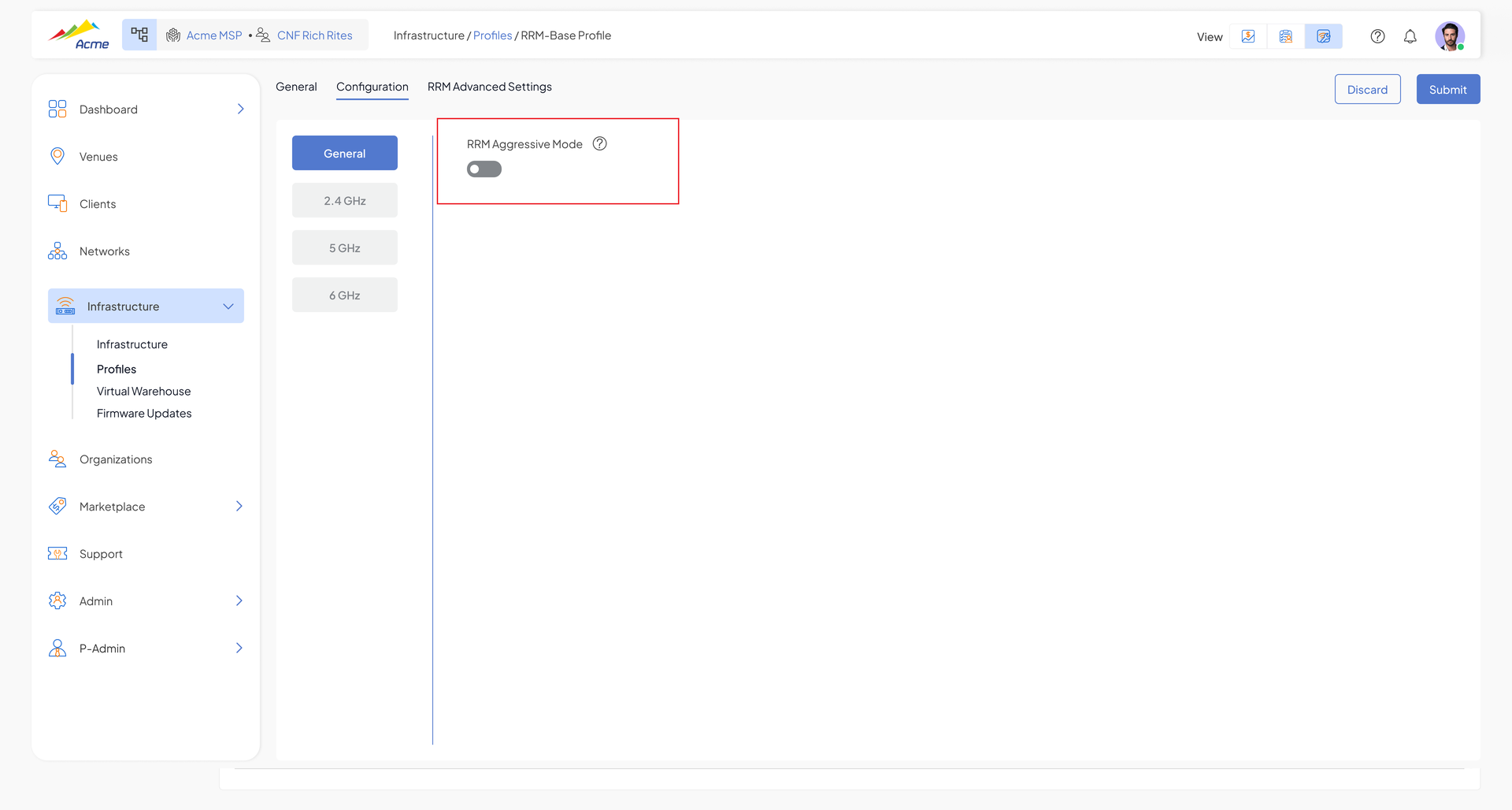
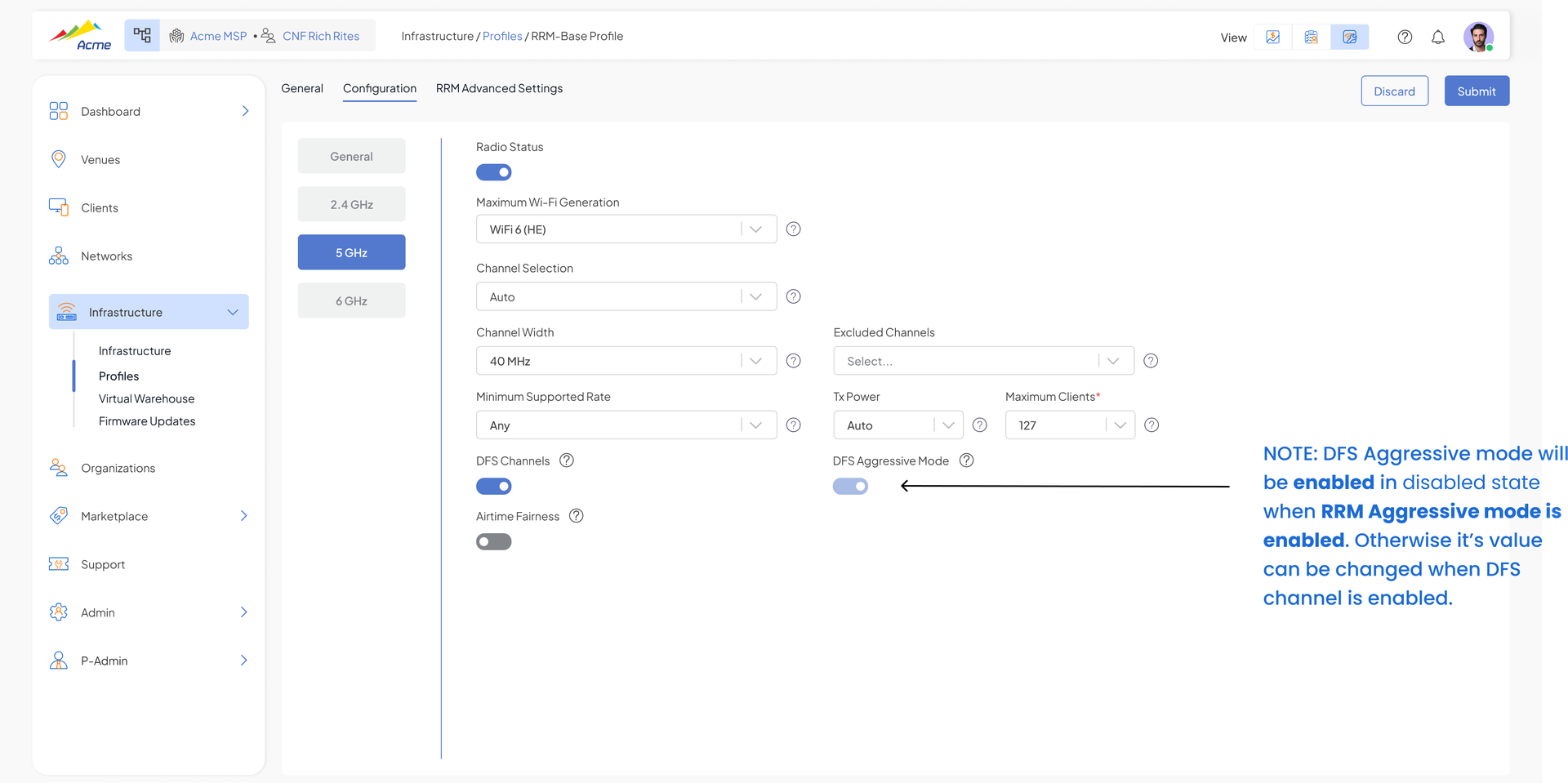
RRM Improvements – "Aggressive" Mode & Per-AP Preferred Channel
Radio Resource Management now supports cloud influence on Auto Channel Selection (ACS), enabling network-wide channel coordination and faster new-site bring-up.
- Cloud can send preferred channel rankings per AP for venue-wide channel coordination, or directly assign a specific channel to an AP for operator control and troubleshooting
- New "Aggressive" mode for new site bring-up – APs can deploy on DFS channels immediately, without waiting for the multi-hour idle-probability warm-up (disabled by default)
- ACS channel scoring now penalizes radar-prone channels and discards stale scores, improving long-term channel selection quality
- Steering fix – clients with poor 5 GHz signal no longer repeatedly bounce between 2.4 GHz and 5 GHz
Multicast to Unicast Conversion – Per-SSID Toggle
A new "Multicast to Unicast" toggle in Network → Settings (Wireless column) lets operators control whether the AP converts multicast frames to unicast for that SSID. Default is ON for newly created networks; existing networks keep their current effective behavior.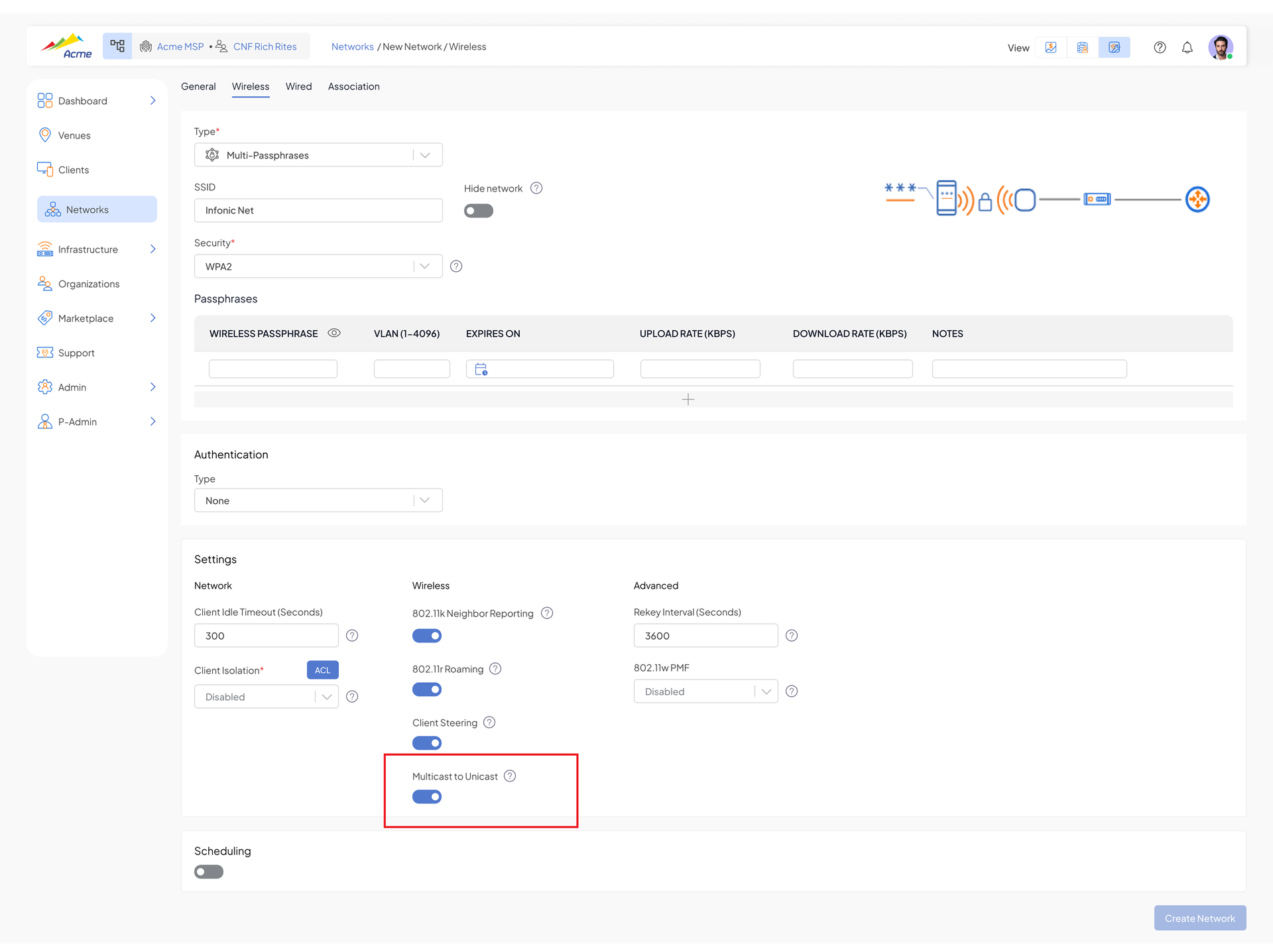
AP LAN Port to WAN Bridge
An AP LAN port can now be bridged directly to the WAN interface, allowing it to pass all VLANs. Available on select hardware models (initially CyberTAN APs).
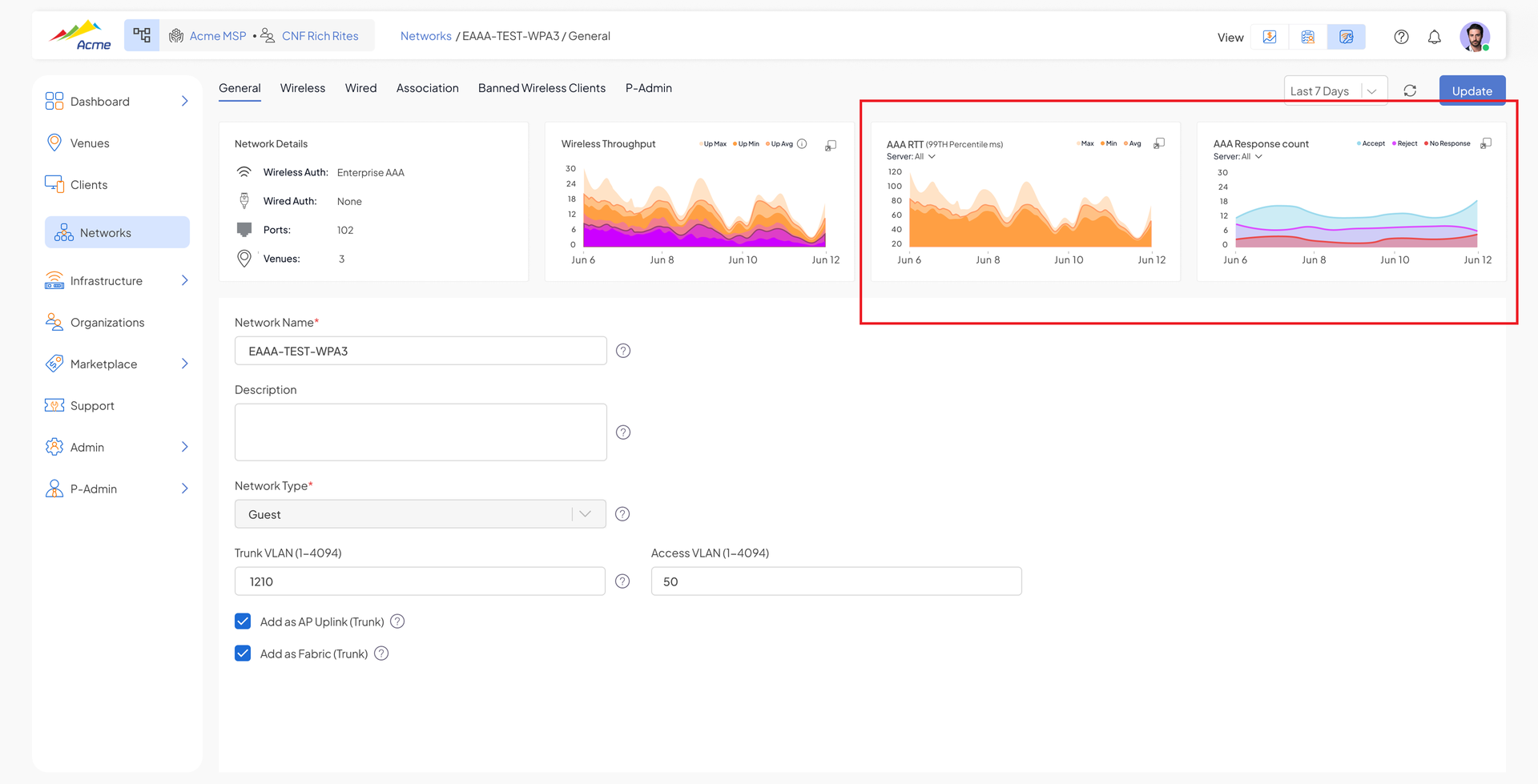
AAA Stats for Troubleshooting & Improved AAA Alarms
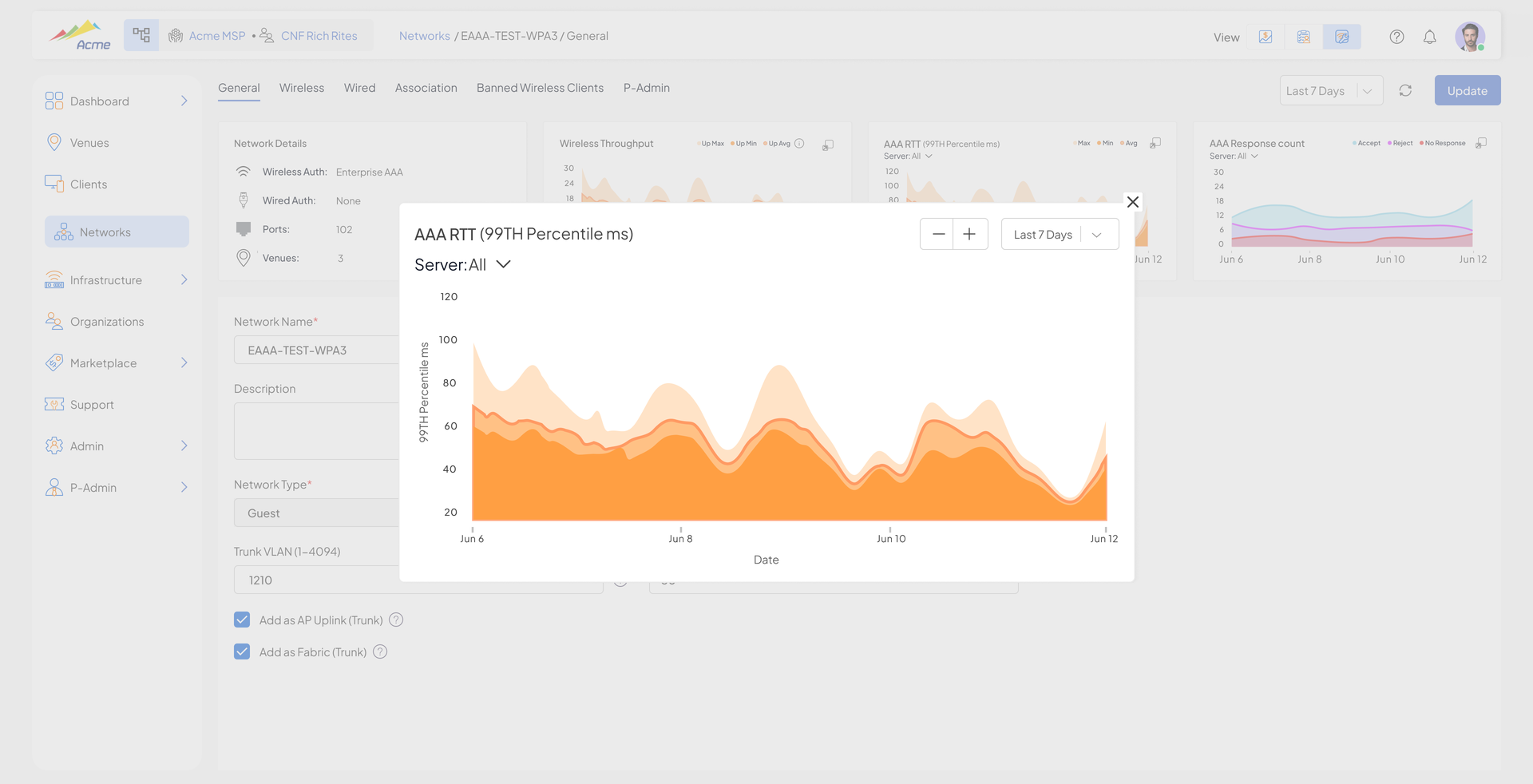
The system now presents statistics about network interaction with remote AAA servers, making RADIUS issues much easier to troubleshoot.
- Server stats – Request/Response breakdown (Accept vs Reject vs No Response vs PSK Mismatch) over the last 24 hours / 7 days / 30 days
- Response-time breakdown – min/avg/max and 99th percentile Access-Accept response time, no-response rate
Alarm improvements: the "AAA slow response" alarm now includes the average response value, and a new "High Rate of Rejects" alarm is raised at the infrastructure and/or venue level.
VLAN Tagged Management Traffic (Beta)
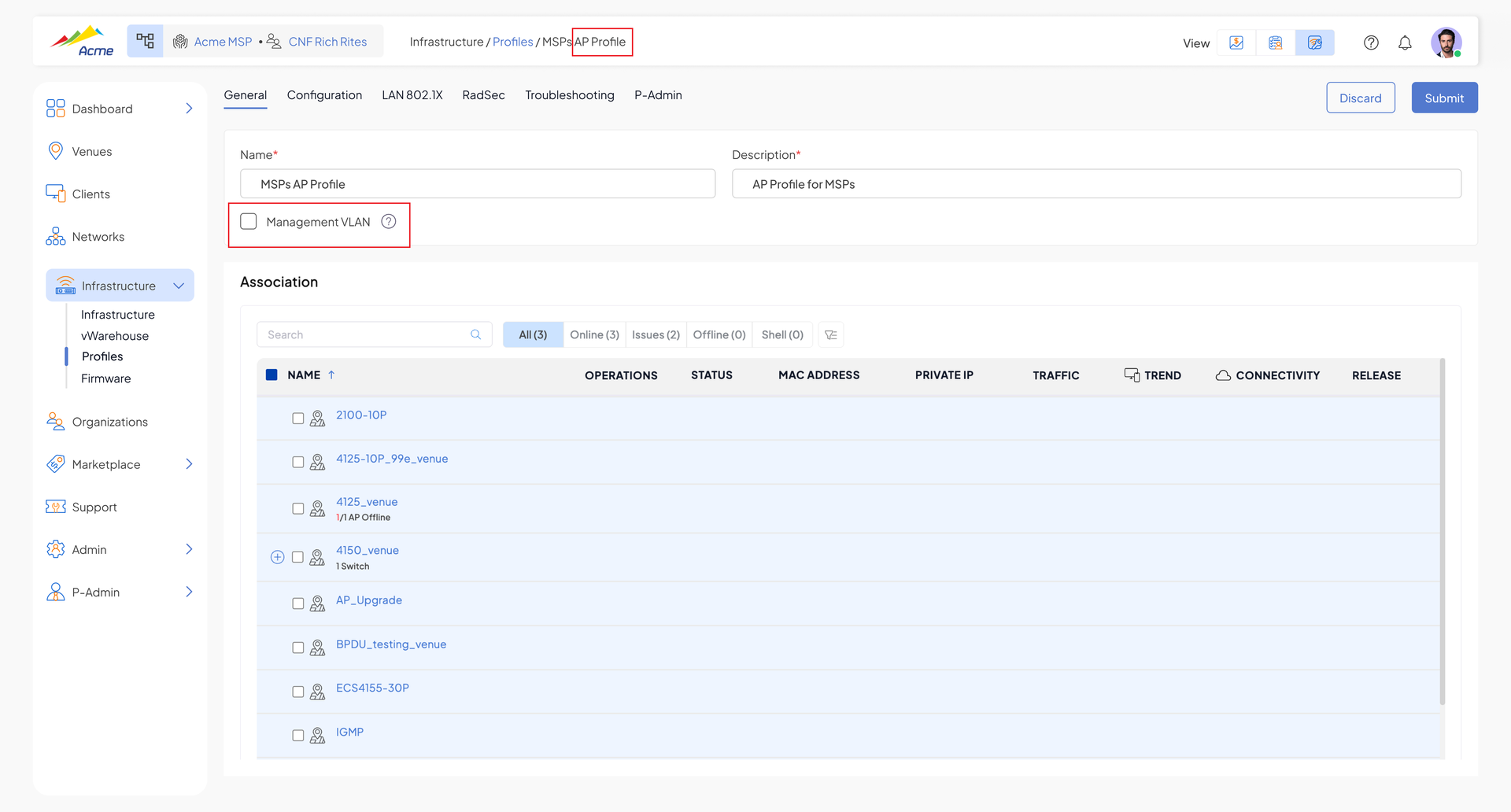
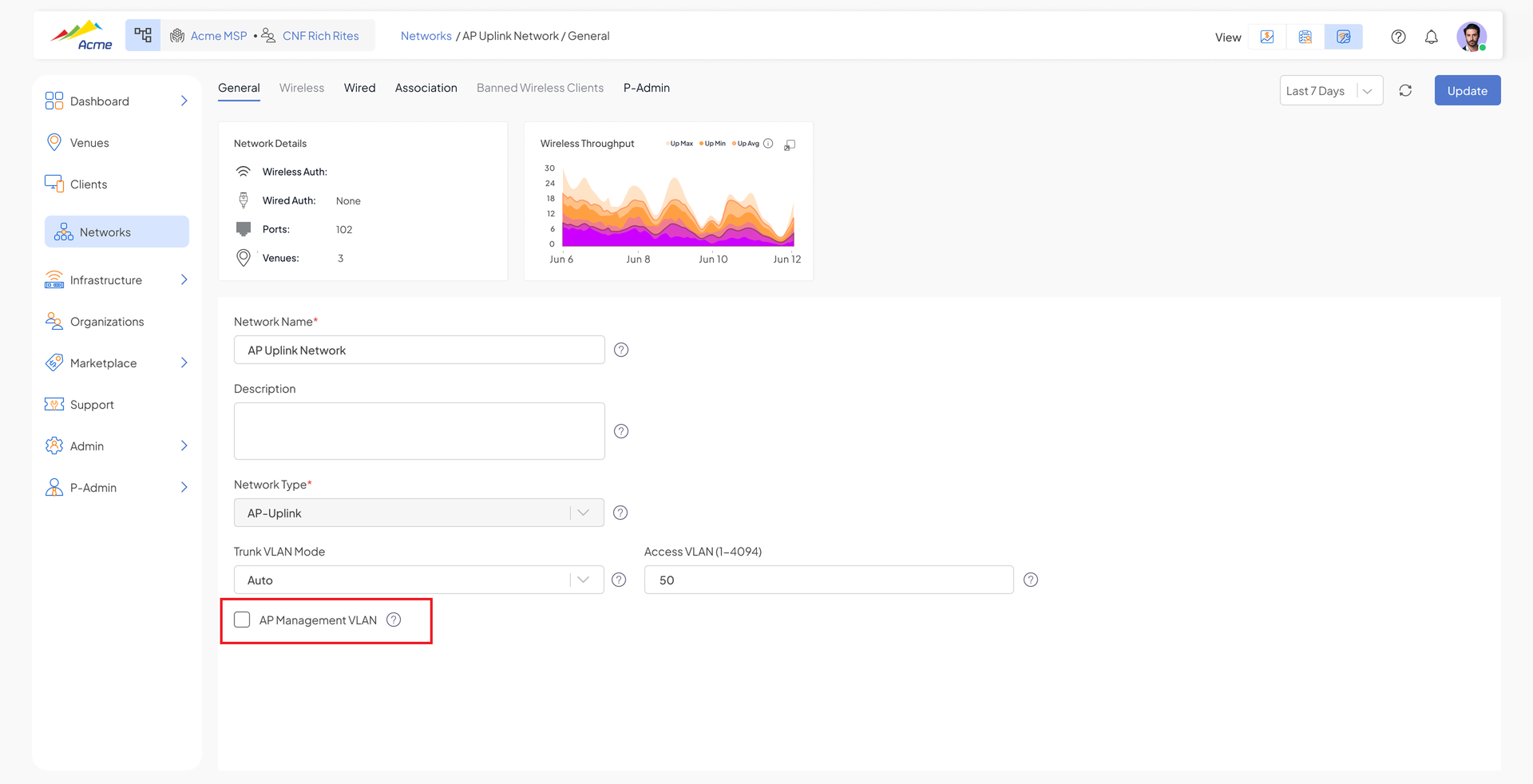
Management traffic can now be VLAN tagged (previously all management traffic was untagged).
- Management VLAN configurable at the profile level, with the ability to override for a specific device
- Smart recovery – if the device loses connection to the cloud, it retries using untagged/previous VLAN tag
- Factory units start untagged and seamlessly migrate to the tagged management VLAN after connecting to the cloud
Switching
IGMP – Static mRouter
Operators can now designate static mRouter ports for IGMP snooping VLANs, ensuring multicast streams keep flowing toward the multicast router even after group membership entries age out (common in IPTV deployments).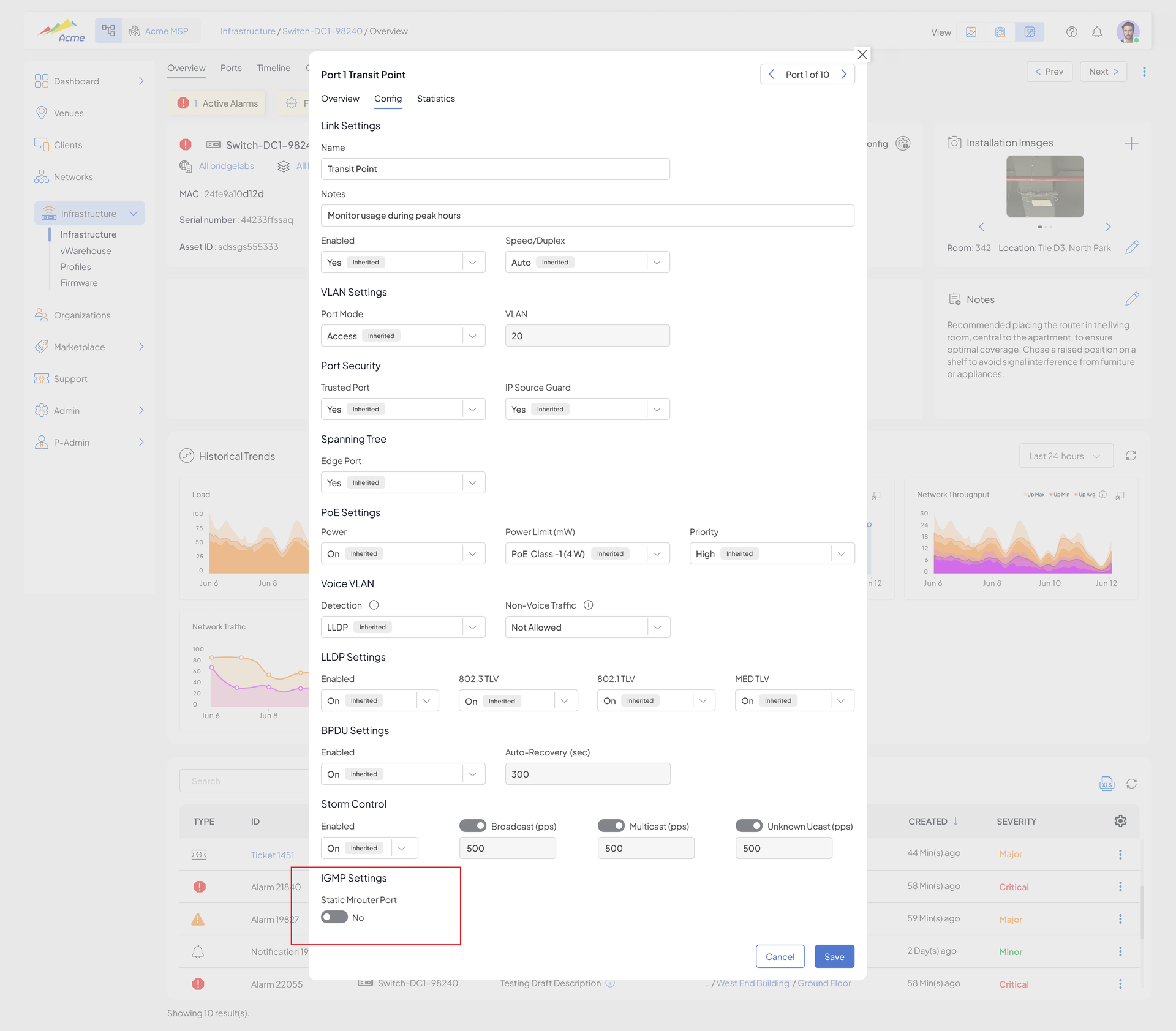
IGMP Proxy-Reporting
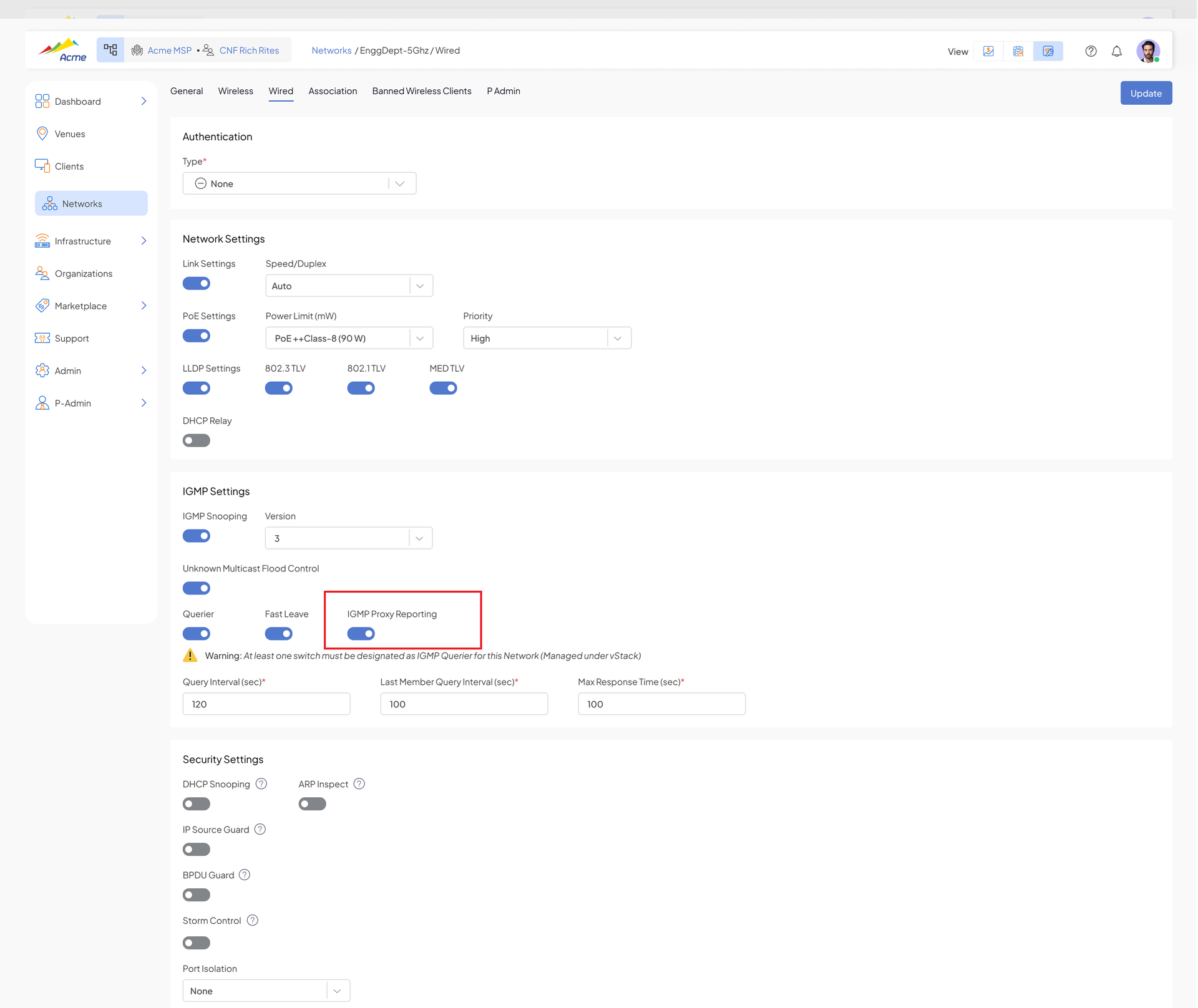
With proxy-reporting enabled, the switch sends only one aggregated IGMP report upstream, regardless of how many downstream clients have joined. Enabled in the same place as IGMP snooping.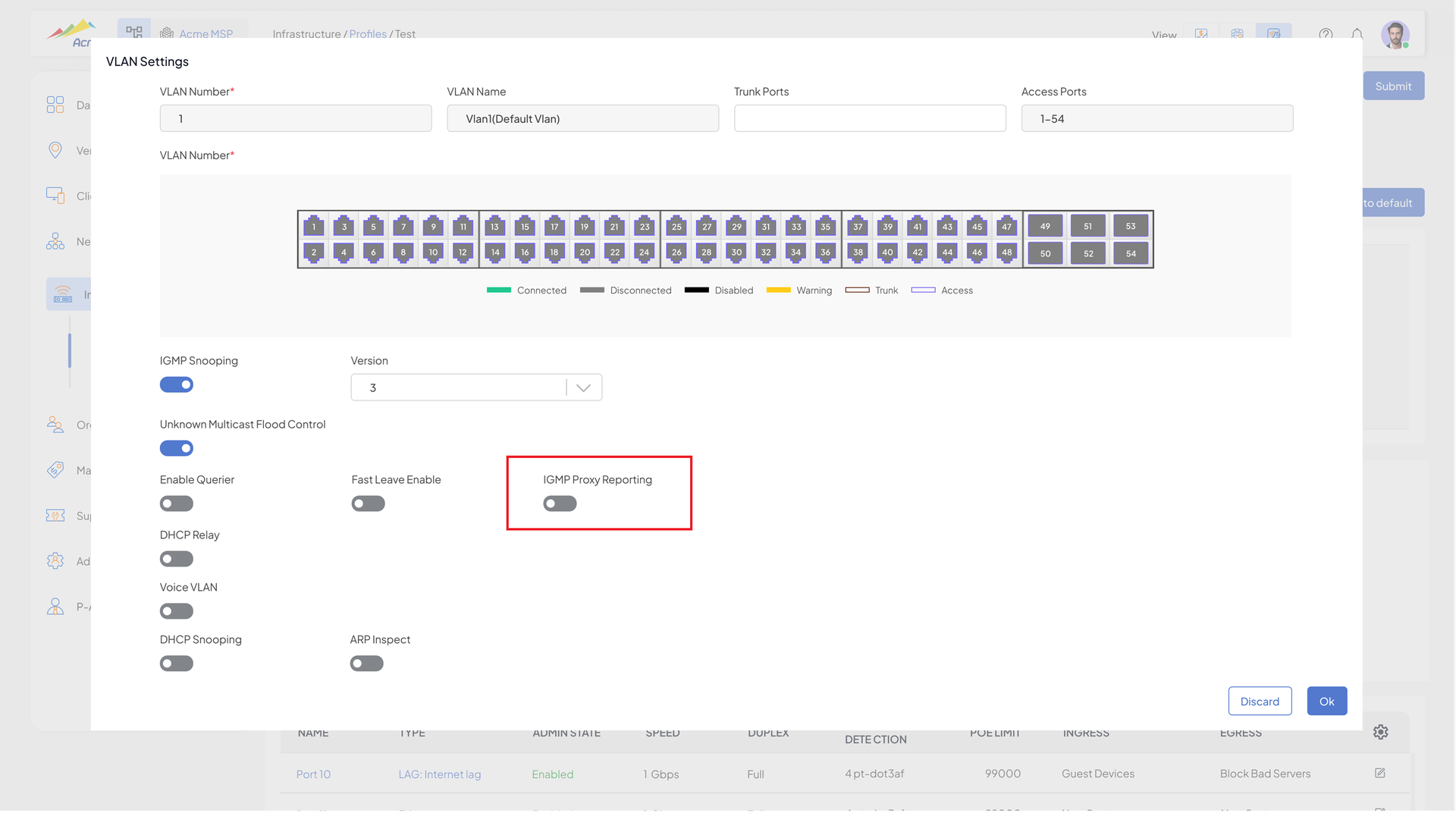
BPDU Guard Enhancements
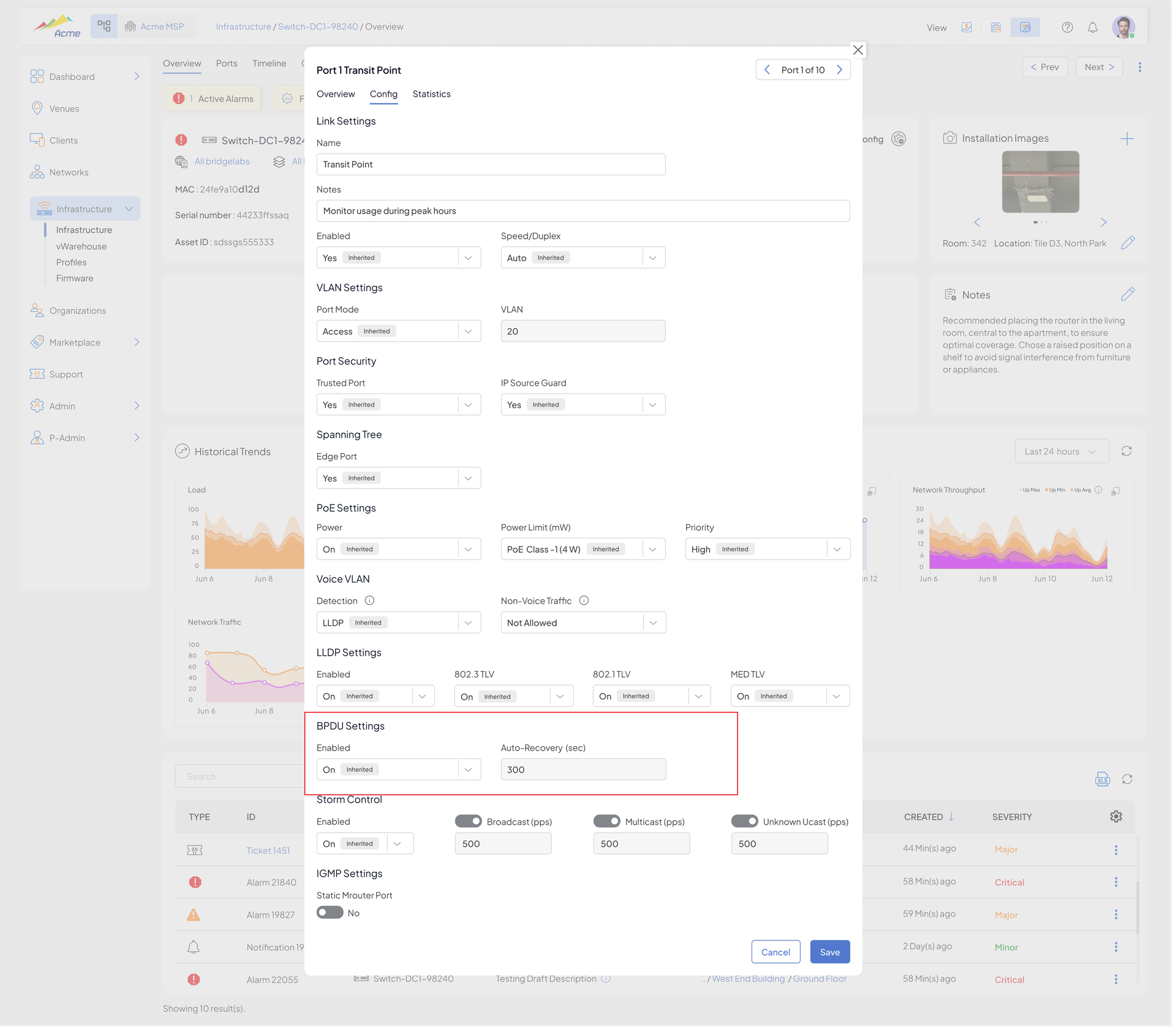
BPDU Guard configuration and runtime behavior are now part of the switch management flow, improving Layer 2 security and resilience.
- Per-port BPDU Guard toggle in Switch Port settings (default OFF)
- Configurable auto-recovery interval – how long the port stays disabled after a BPDU violation before it is automatically re-enabled (default 300 seconds, range 30–86400)
Switch Temperature Monitoring & Smoother Fan Ramp
- Switch temperature is now displayed in the UI; devices that do not report temperature show "Not reported"
- Fan speed now increases linearly instead of jumping over a threshold, reducing fan noise (select hardware)
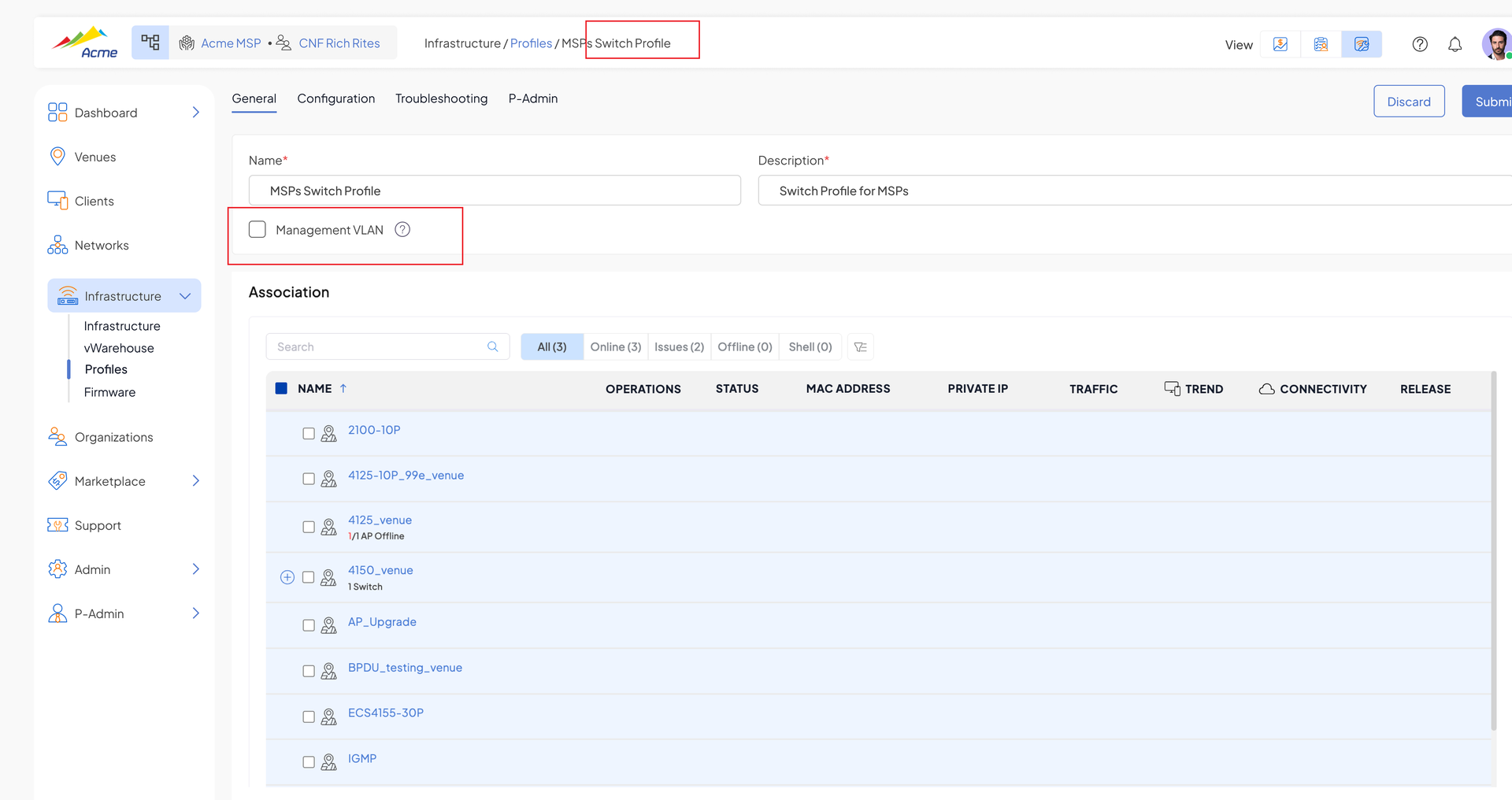
Beta: VLAN Tagged Management Traffic
Management traffic can now be VLAN tagged (previously all management traffic was untagged).
- Management VLAN configurable at the profile level, with the ability to override for a specific device
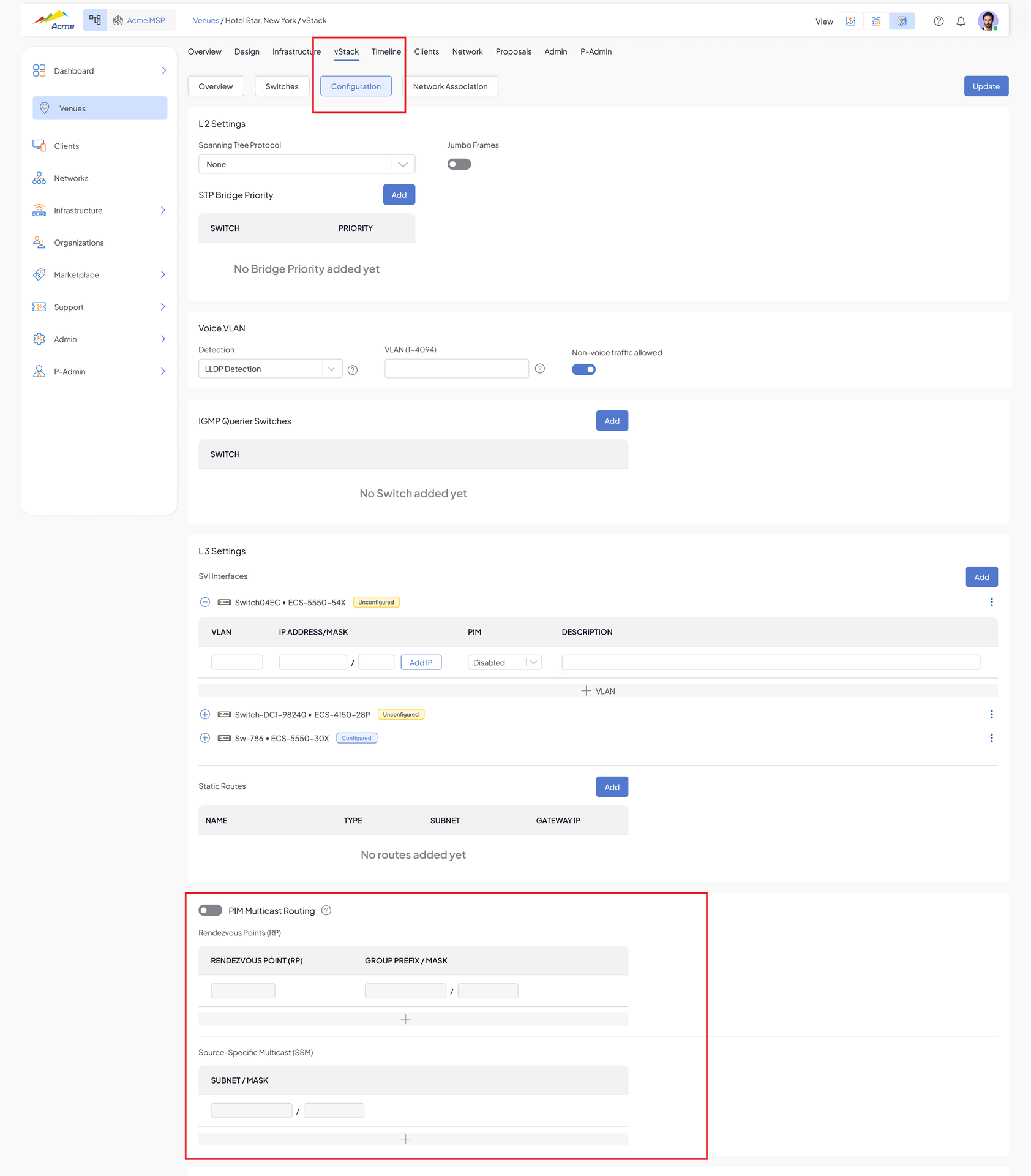
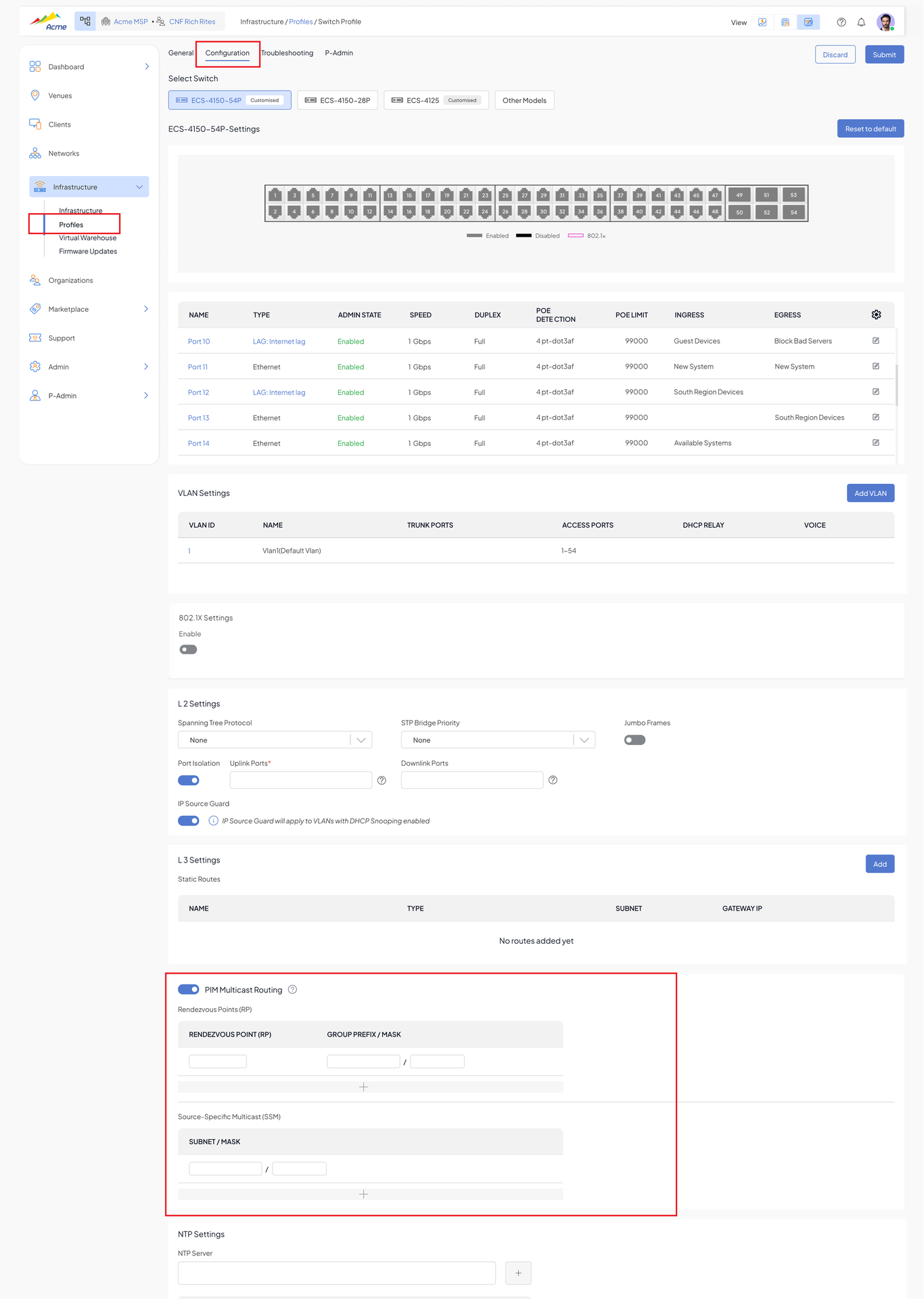
Beta: Multicast PIM Routing – Core Switches
A new "Multicast Routing" section under vStack configuration:
- PIM enable toggle with Rendezvous Point (RP) entries (RP address + group prefix + mask) and Source-Specific Multicast (SSM) subnets
- Per-SVI PIM (Disabled / Sparse) and IGMP (Disabled / V2 / V3) settings in the SVI table
- Supported on select core switches only; up to 256 VLANs can be active with PIM enabled
Beta: Broadcast/Multicast Storm Control per Port
Storm Control can now be configured per port for three traffic types: Broadcast, Multicast, and Unknown Unicast. Each type has an independent enable toggle (OFF by default) and a packets-per-second limit.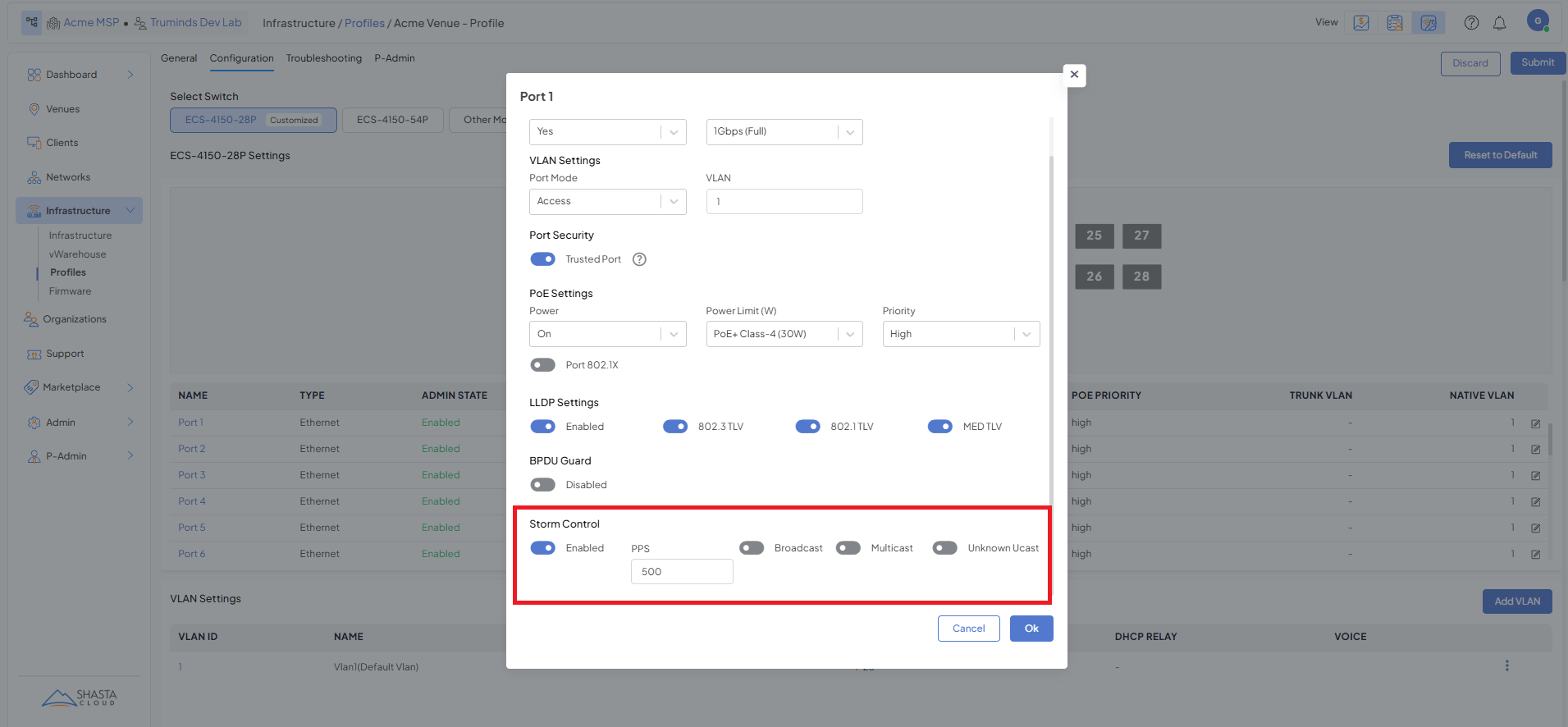
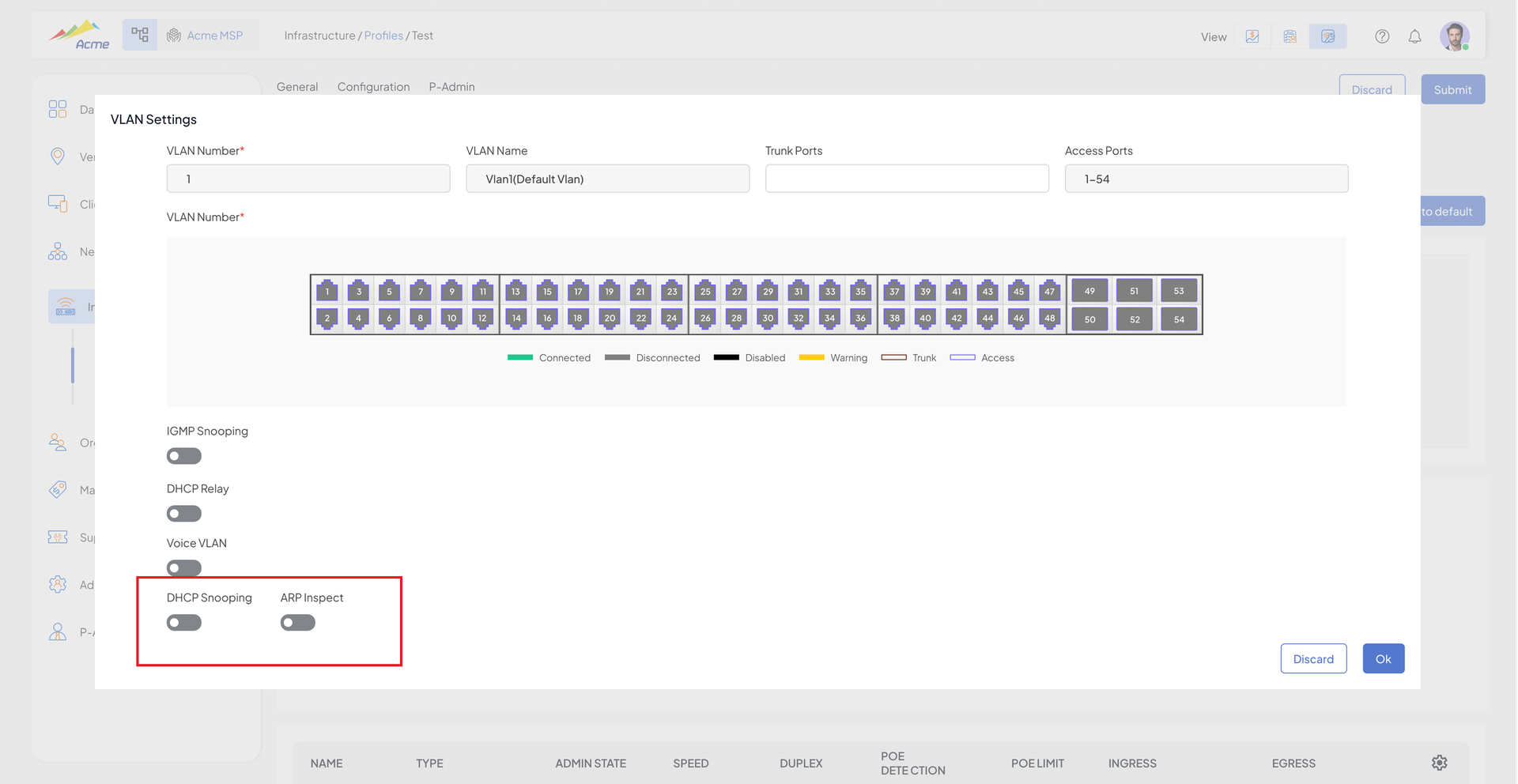
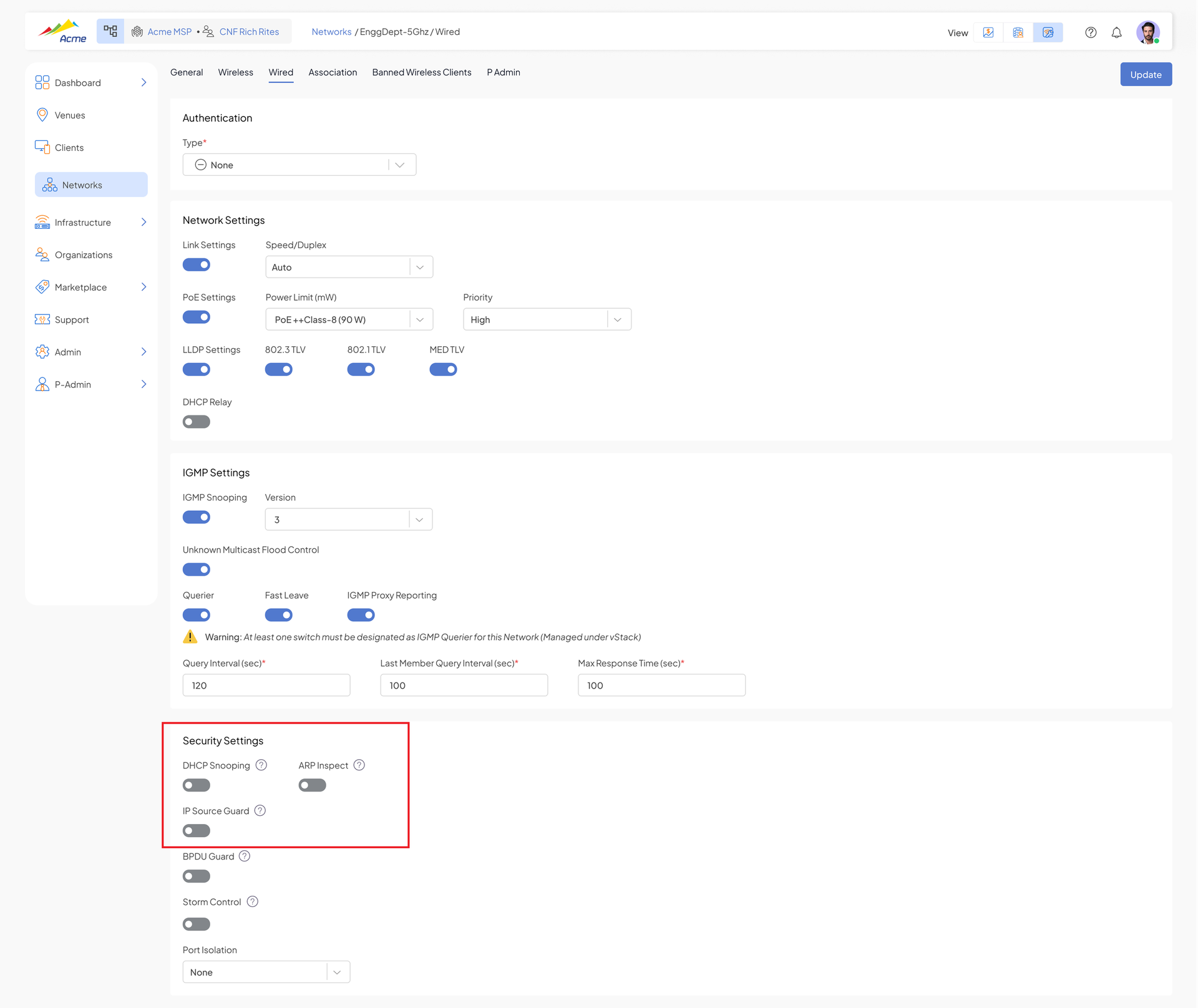
Beta: Port Security – IP Source Guard, ARP Inspection, DHCP Snooping
- Enable/disable IP Source Guard and ARP Inspection on specific ports and/or VLANs at the Switch Profile level (disabled by default)
- Override on a specific switch/port ("Inherited")
- Trusted-interface defaults are chosen so traffic is not dropped unless security is explicitly hardened on specific ports/VLANs
Platform
NTP Clock Drift Alarm for APs and Switches
- When an AP or switch NTP is not synced, or the clock has drifted by more than 3 days, a Minor alarm is raised ("Clock not synced" / "Clock drift by x days")
- When upgrading a venue/infrastructure, a warning is shown if devices have active time drift, as this can cause issues with the upgrade
Webhooks – Newly Connected Clients
A new webhook event fires when a client first connects to an AP or switch.
- Wired clients: client MAC, IP address, infrastructure ID, venue ID, VLAN, port
- Wi-Fi clients: client MAC, IP address, infrastructure ID, venue ID, VLAN, SSID, band, RSSI
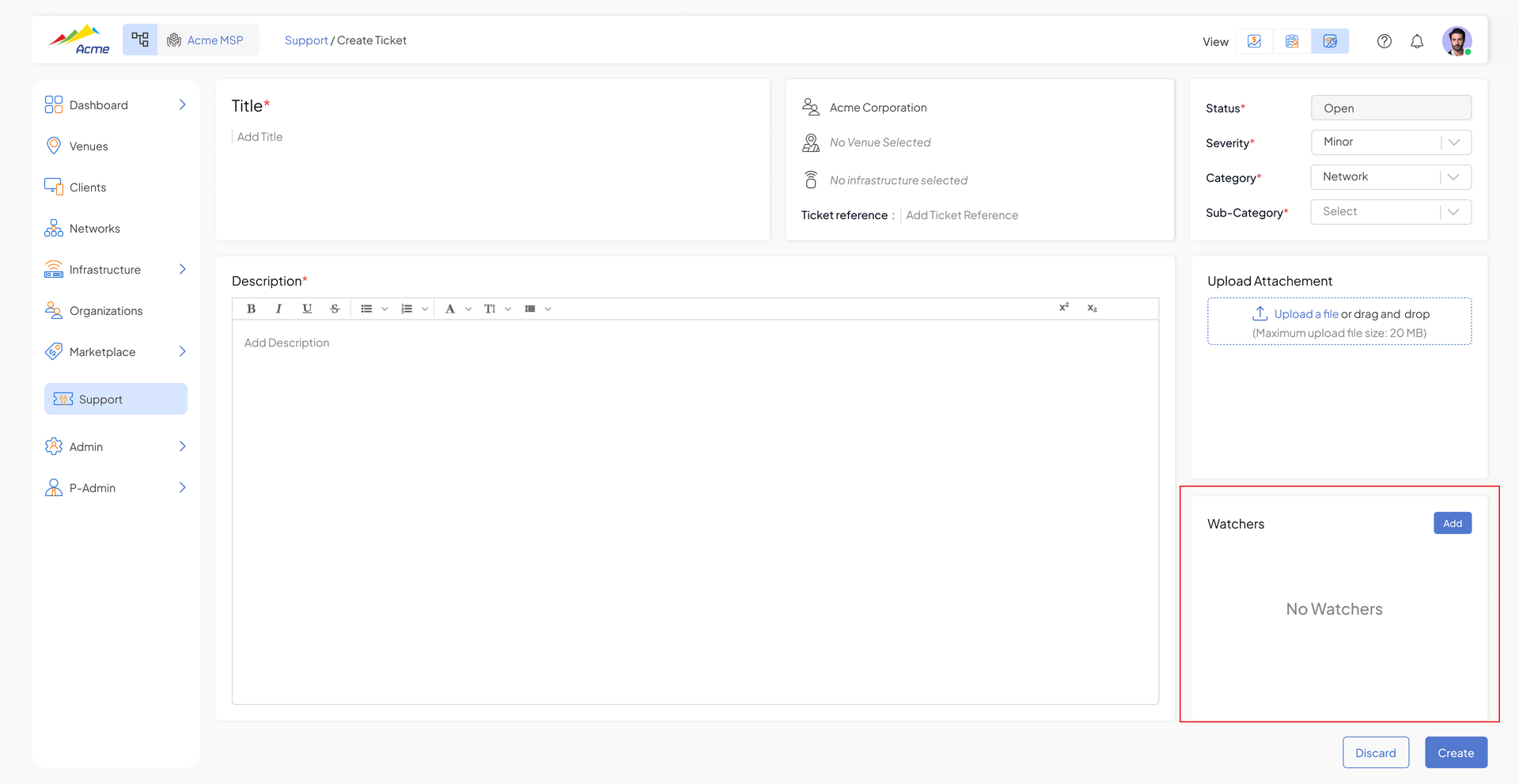
Support Tickets – Watchers & Reassignment
- Add watchers during ticket creation so additional team members receive support updates
- Reassign tickets to other MSP users
- Note: A watcher cannot be added/updated after ticket creation.
Web UI
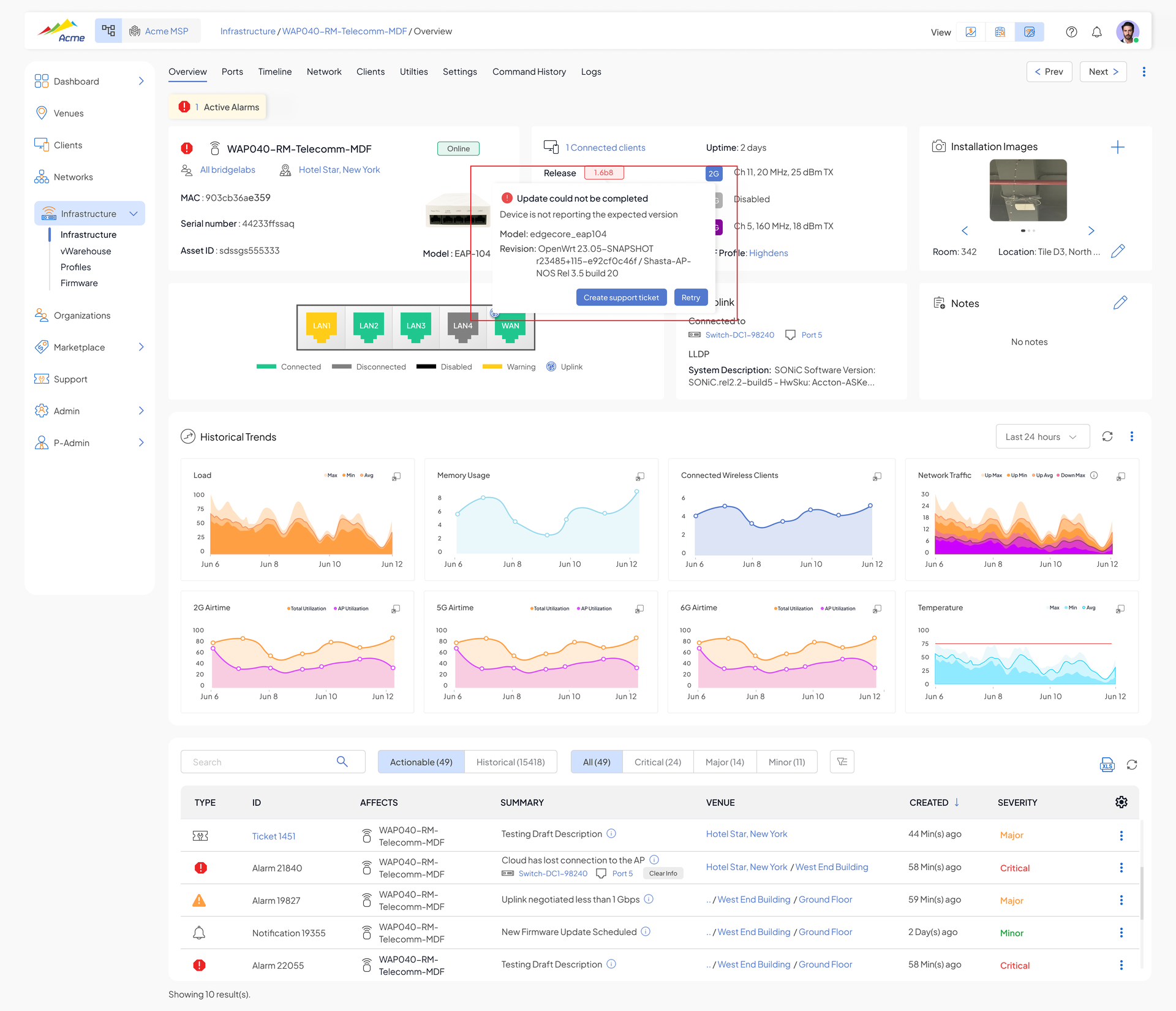
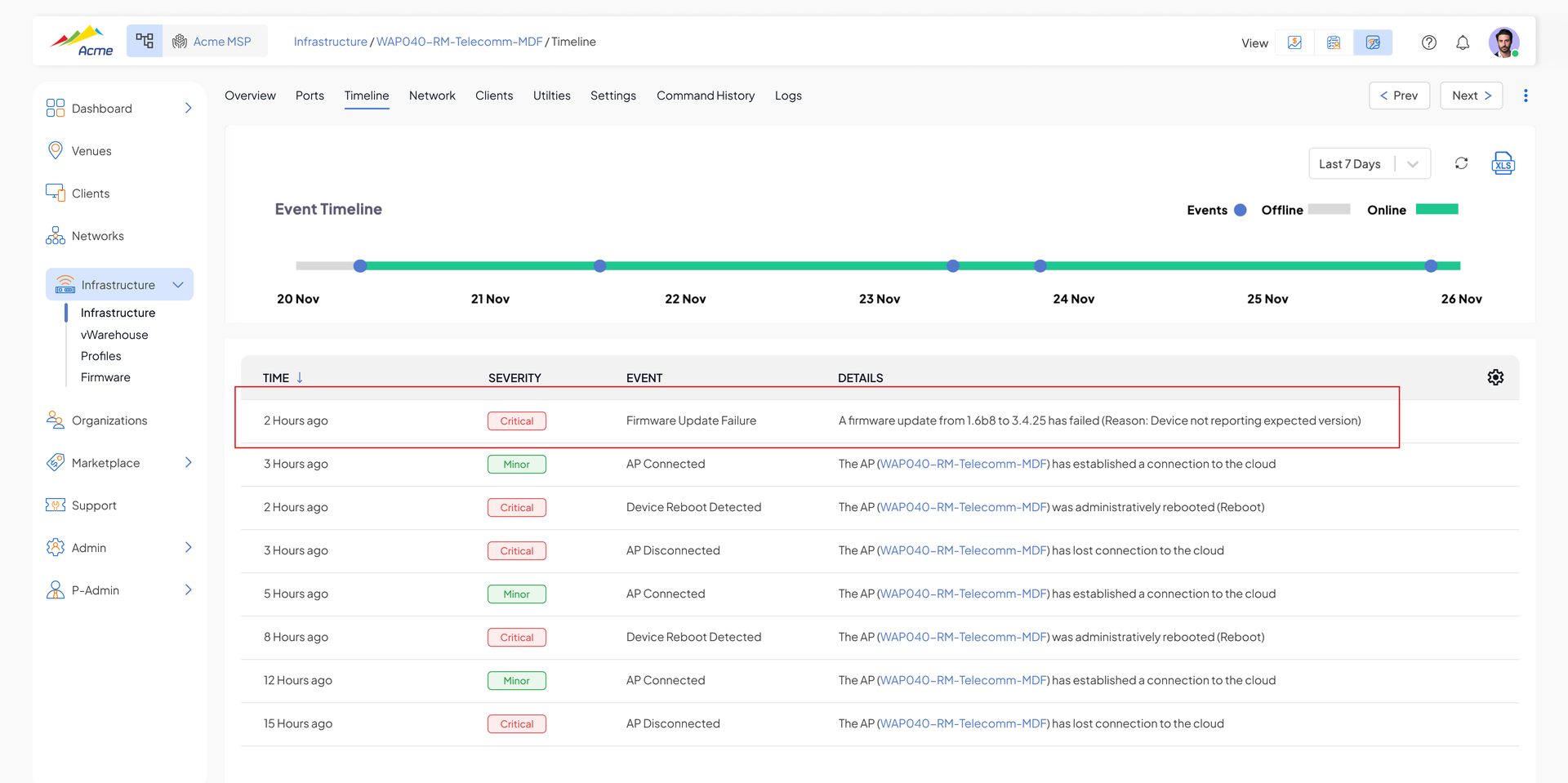
Firmware Management – Improved Retry, Failure Reason & Upgrade Reporting
- Retries now take place within the existing active schedule.
- Upgrade failure reason is now displayed in the UX, timeline and included in webhooks
- Improved firmware report – quick filter for completed devices, sorting based on upgrade order, more readable report titles, simplified per-infrastructure status display
- Filter and sort infrastructure/venue lists by firmware version, including "above or below" a given version
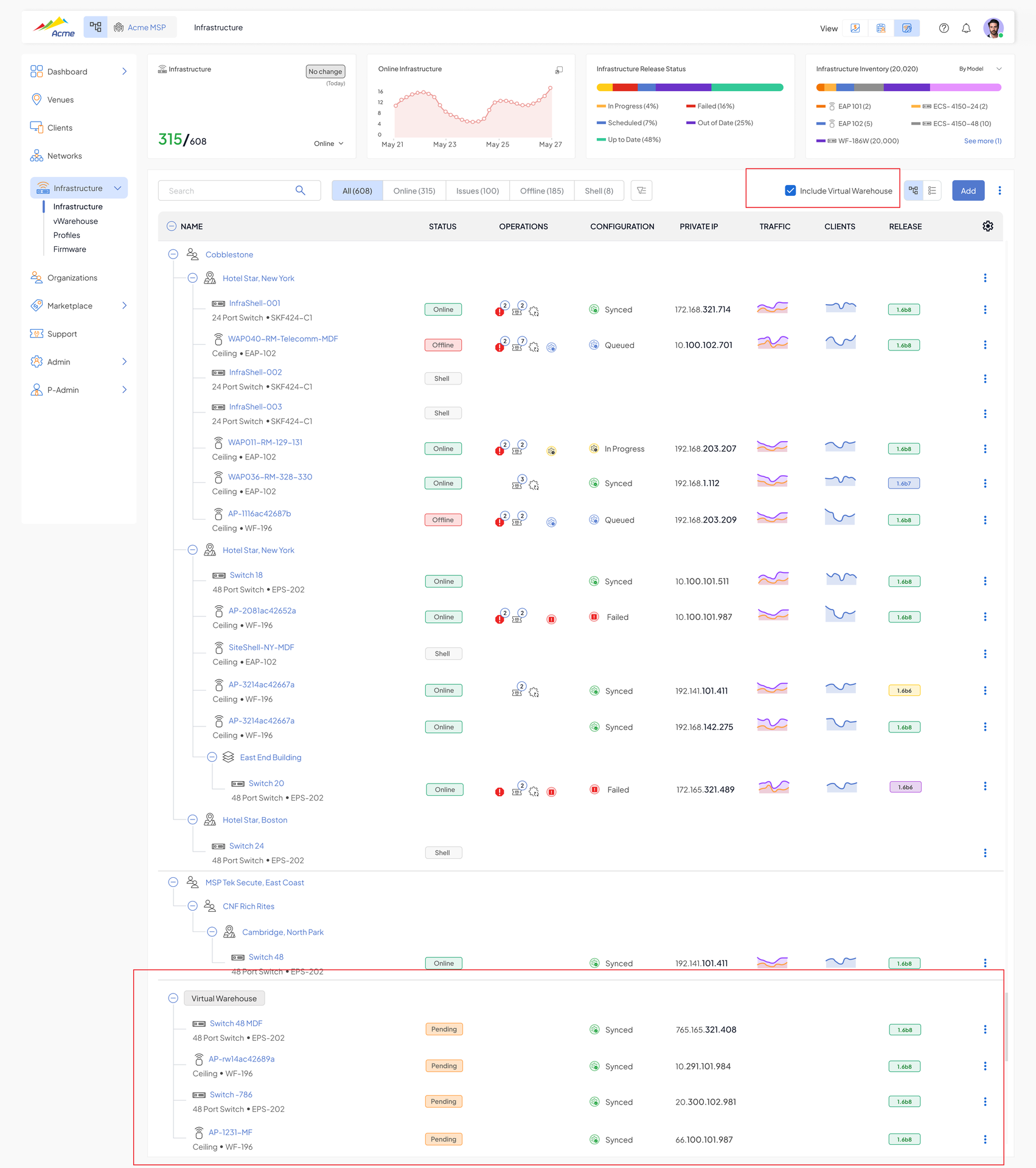
- Firmware release screen now includes all known infrastructure, including units in the Virtual Warehouse and units running archived/deleted versions
Virtual Warehouse – Integrated into Venue Views
The Virtual Warehouse is no longer hidden from system views and counters.
- Included in total provisioned AP counts, firmware inventory (known & unknown versions), and MAC address search
- Shown as a venue at the bottom of the organization tree; clicking it opens the Virtual Warehouse screen
- Billing reports include a "Virtual Warehouse" line with the prepaid subscription breakdown
Search on Specific Columns
Column-specific filters are now available on list views, starting with the Clients page (both the main page and under a venue) for the ID, VLAN, and Infrastructure columns. Multiple column filters can be combined, and the global search filters further on top of column filters.
MSP Admin – Shasta Postpaid Subscription Management
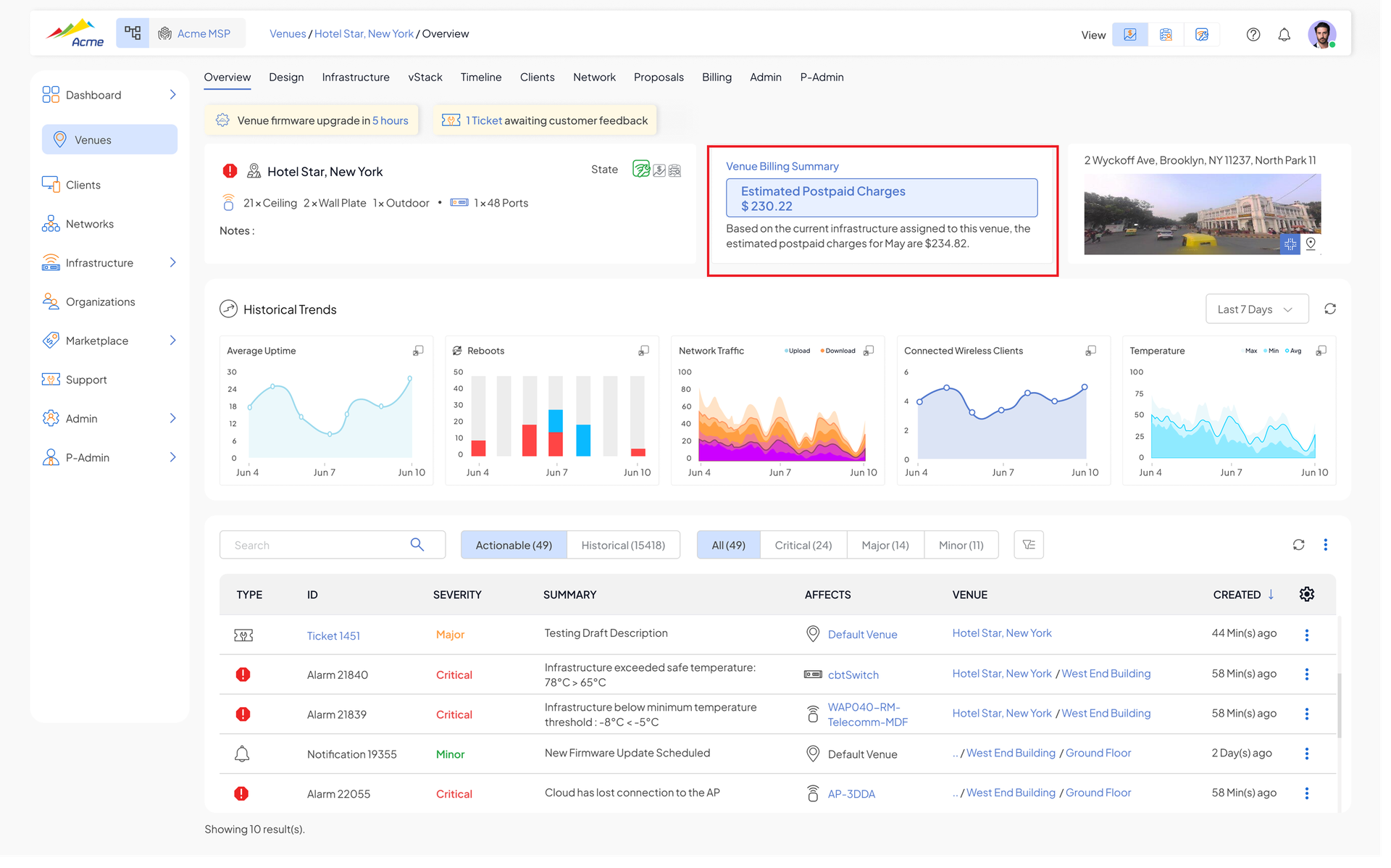
- Venue section – predicted postpaid usage charges and postpaid usage graph per venue
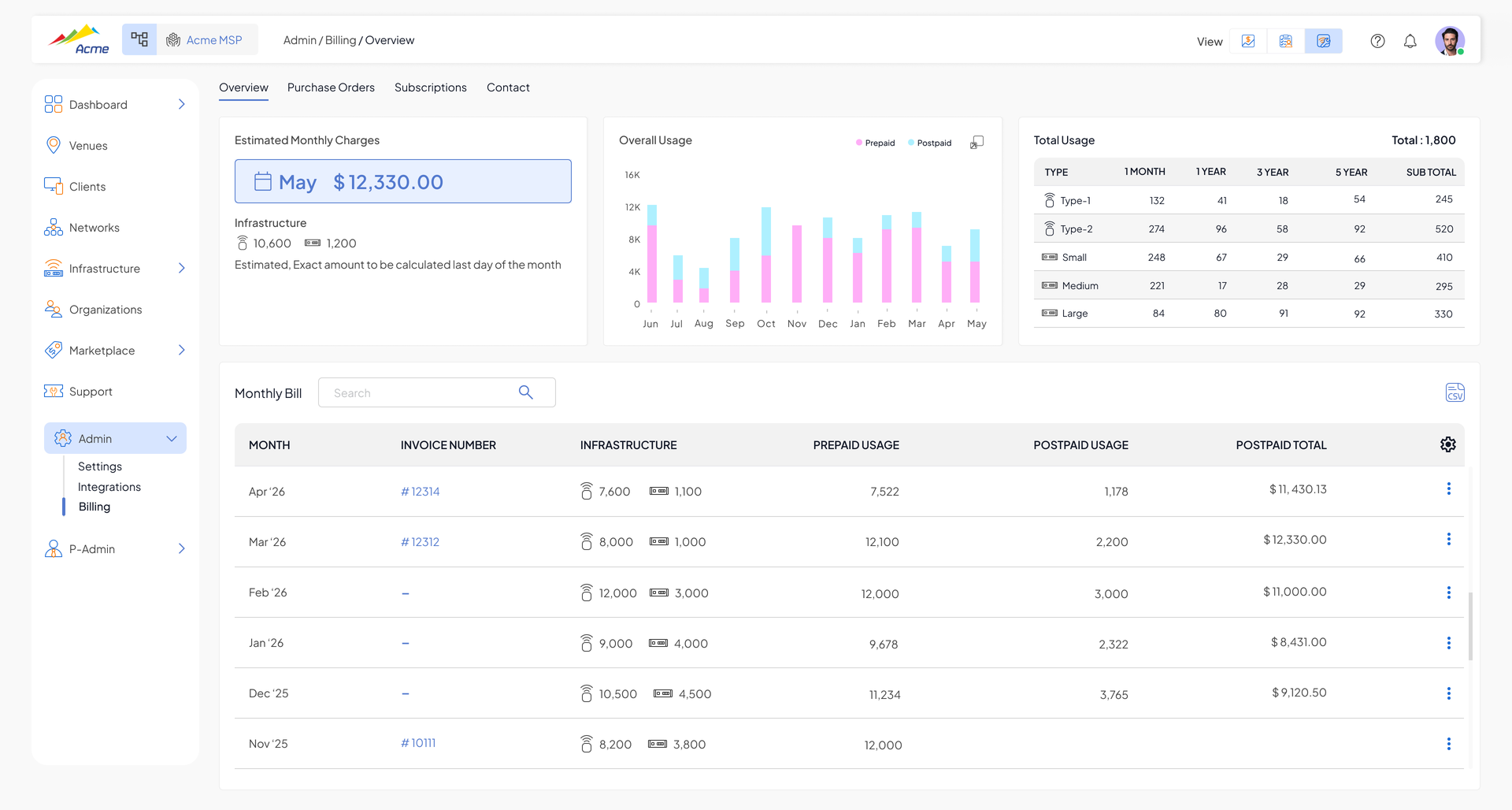
- Billing section – new Expected Monthly Charges, Postpaid Usage, and Overall Usage widgets
- Monthly postpaid bills generated at the end of the month, including SKU totals, prices from the MSP-specific price book, prepaid & postpaid breakdown per SKU, and per-venue breakdown (including a Virtual Warehouse line)
New Hardware (Beta)
CyberTAN – 24-Port 1G PoE Access Switch (RSW226G-2PV)
Support added for the CyberTAN (SonicFi) RSW226G-2PV 24-port 1G PoE access switch (370W PoE budget).
CyberTAN – 48-Port 1G PoE Access Switch (RSW-252G-2PV)
Support added for the CyberTAN (SonicFi) RSW-252G-2PV 48-port 1G PoE access switch.
Fixed Issues
- Case #2933 - API - Allow a complete list of infrastructures to be provided
- Case #4609 - Ability to associate multiple users with a support ticket
- Case #4847 - "..." more option does not work when trying to filter by firmware version
- Case #5183 - Switchport Status Data Inconsistency
- Case #5285 - Allow VLANs to be disabled in infrastructure "inherit" config
- Case #5486 - Bad AP or Switch Port
- Case #5594 - Allow enable/disable proxy-reporting when enabling IGMP Snooping
- Case #5708 - Switch rejecting configuration when NTP server is set in switch profile
- Case #5766 - AP stuck in Pending State in Virtual Warehouse
- Case #5810 - Secondary IPs for a VLAN interface (Telus requirement)
- Case #5826 - Configuration failed for AP
- Case #5829 - Device level firmware upgrade in Virtual Warehouse
- Case #5836 - Switch/AP fix (see SW-5737)
- Case #5883 - Virtual Warehouse webhook errors should show in graphs
- Case #5955 - MSP-User role can view pricing in quotes
- Case #5964 - Shasta-UI Error 0x9985 on Factory Reset prevents Configuration Refresh
- Case #5984 - Updating SSH option on AP Profile
- Case #6061 - Client device listing issues
- Case #6072 - Radios not broadcasting after reboot
- Case #6102 - Ability to get into CLI from the portal
- Case #6142 - Alarm (AAA server not responding) not resolving
- Case #5561 - Unnecessary venue alarms during venue firmware update
- Case #5642 - Cloud disconnects for switch after firmware upgrade
- Case #5980 - Disconnections when Banning Clients - Remove the 3.1 release warning message
- Case #6151 - Channel selection in a 7-story building with 2 APs per floor
- Case #6271 - Ability to set SSH password value from Shasta Cloud
- Case #6324 - AP stuck in Pending state in Virtual Warehouse
- Case #6348 - Show local device admin credentials in cloud portal
Have feedback? We encourage to use our support feature to provide feedback (enhancement & bugs).
Was this article helpful?
That’s Great!
Thank you for your feedback
Sorry! We couldn't be helpful
Thank you for your feedback
Feedback sent
We appreciate your effort and will try to fix the article